WordPress 外链跳转插件 外链跳转安全提示
一键实现 WordPress 外链跳转安全提示 跳转效果类似知乎、CSDN,571免费资源也已经用上了,大家可以测试一下。
插件路径地址:https://你的域名/wp-content/plugins/cp-link-open
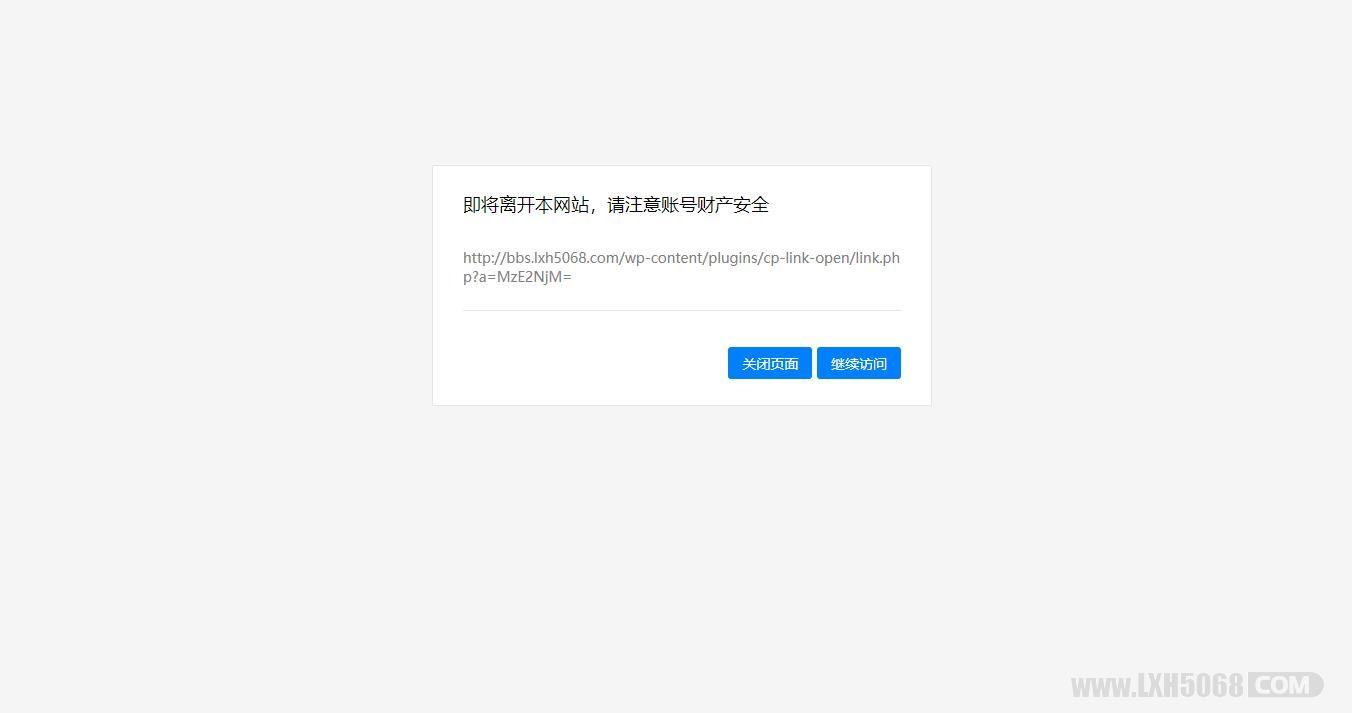
一键实现 WordPress 外链跳转安全提示 跳转效果类似知乎、CSDN,571免费资源也已经用上了,大家可以测试一下。
插件路径地址:https://你的域名/wp-content/plugins/cp-link-open
发现很多时候我们在WordPress上发布一些文章的时候里面都包含了很多的代码,又不喜欢把代码压缩起来而喜欢让代码格式化显示,但是格式化显示通常会让文章内容看起来很多,不便于访问者浏览,所以今天就介绍一种可以展开/收缩文章内容的功能。
教程如下:

1、在header.php中添加下面的代码,或者也可以单独写进一个js文件中然后在header.php中引入也可以。我是引入的。
<script type=\"text/javascript\">

 jQuery(document).ready(function(jQuery) {

 jQuery(\'.collapseButton\').click(function() {

 jQuery(this).parent().parent().find(\'.xContent\').slideToggle(\'slow\');

});

});

</script>
2、在function.php中加入下面的代码:
//展开收缩功能
function xcollapse($atts, $content = null){
 extract(shortcode_atts(array(\"title\"=>\"\"),$atts));
return \'<div style=\"margin: 0.5em 0;\">
<div class=\"xControl\">
<span class=\"xTitle\">\'.$title.\'</span>
<a href=\"javascript:void(0)\" class=\"collapseButton xButton\">展开/收缩</a>
<div style=\"clear: both;\"></div>
</div>
<div class=\"xContent\" style=\"display: none;\">\'.$content.\'</div>
</div>\';
}
add_shortcode(\'collapse\', \'xcollapse\');
3.可以优化一下代码,因为默认是靠左的,不好看,我们让他往中间一点显示,具体的距离可以自行调整。当然这一步忽略也是可以的。
在diy.css中添加以下代码:
.xControl {

 padding-left: 32px;

}
4、下面就可以在文章中通过插入短代码
[collapse title="标题"]需点击展开的内容[/collapse]
来使用此功能了。其中title是指添加一些提示内容,当然也可以省略title不写。
一方面可以优化WordPress主题内容页面的加载速度,另一方面可以有效提升用户体验。
WordPress插件推荐:ckplayer without ad 调用ckplayer播放器实现优酷、爱奇艺、音悦台等视频源无广告播放。
插件特色:
1、调用位于SAE的flash视频播放器,加载响应速度快;
2、支持优酷,爱奇艺,56视频等多处视频源,实现无广告播放;
3、支持清晰度切换,针对不同带宽自由选择画质。
使用说明:
1.下载插件,插件上传目录/wp-content/plugins/
2.登录后台启用插件
3.设置里面配置一下播放器大小参数
4.发布文章按这个简码[ck1]视频地址[/ck1]

大名鼎鼎的Grace主题,之前找了很久只找到8.0的版本,还有人用8.0冒充8.2。
此版去授权去后门,需要的可以试用。Grace主题是第一适用于自媒体、极客的博客主题。它提供多样化的文章分类样式,内置了许多个性化的功能,能够满足您的各种需。
这款主题为破解学习版,想用在生产环境的话建议购买正版。
新增:
分类目录新增默认封面
标签页面不在需要上传背景图片
分享使用自制的分享,不用百度分享。支持微信缩略图(需要公众号认证提供AppId和AppSecret),在主题选项-分享设置中设置
文章样式,多图模式,可自动获取缩略图(自动获取特色图像和文章前2/3张图片),也可手动上传。后台进行切换。
投稿页面可以关闭邮件验证,在主题选项-页面设置中切换状态。
合并了一些主题js和css文件
修复:
修复幻灯片在鼠标停留时,还在滚动
修复文章中图片无法距左或居右
修复文章中上下文无法显示特色图像
修复专题页面如果不填前两个推荐专题,页面无法正常显示
修复手机端左滑菜单中,无法下拉
修复了文章页在手机端会左右晃动
优化全站的加载前置动画,默认关闭状态。
优化了幻灯片笼罩背景色的透明度
优化了一些部件的前端显示效果

内置配置好的多个采集规则,简单修改数据库即可上线,可后台自行替换模板(可替换MIP模板)
3.1、百度搜索“wp模板MIP”,更多wordpass使用教程百度即可,这种东西玩玩就行了,
适合做单站收录,养起来可以卖卖站,卖卖友链啥的,实际用处不大,需要再下!
1、全自动采集,无人值守;
2、适合做站群,无需人工打理;
3、已经创建8个采集规则;
4、全部采用采集优质站点;
5、支持最新的PHP7.1;
6、图片默认使用远程图片,节约磁盘空间,可设置保存到本地;
7、主题模式使用的是知更鸟5.2最新破解版主题,seo、广告等拓展功能强大。

过WP后台➡插件➡安装插件➡上传插件,添加上传插件,启用后回跳转到插件设置页面(或者WP后台➡设置➡节点装点),可以选择显示顶部左右灯笼,花瓣飘落,梅花枝等.\


直接到网站根目录创建一个css文件(文件名:sige.css),文件名可自定义(注意文件名一致)
<link rel="stylesheet" href="你的网站/sige.css" type="text/css" >
然后在header.php模板最上方添加引入代码
也可自定义HTML里添加css代码最上方写入标签<style></style>,将css代码放入标签内即可!
css代码如下:
.hide_sm{display: flex;}

.container .col-1-4{float: left;box-sizing: border-box;margin-right: 7.3333px;width: 100%;}

.container .col-1-4:last-child{margin-right: 0;}

@media (min-width:768px){.container .col-1-4{width: 50%}}

@media (min-width:1024px){.container .col-1-4{width: 25%}}

@media (min-width:1024px){.ripro-dark .home-first{background: #232425;}}

@media (min-width:768px){.home-first .h-images:after{display: none}}

@media (min-width:768px){.home-first .h-images{display: box;display: -ms-flexbox;display: flex;width: 100%;justify-content: space-between}}

@media (min-width:1024px){.home-first .h-images{width: 25%}}

.home-first .h-images .item-tuwen{float: left;padding: 0 6.5px;width: 50%}

@media (min-width:1024px){.home-first .h-images .item-tuwen{float: none}}

@media (min-width:1024px){.home-first .h-images{display: block;box-sizing: border-box;padding: 0 7.3333px}.home-first .h-images .item-tuwen{padding: 0;width: auto}}

.home-first .item-tuwen{margin-bottom: 15px}

@media (min-width:768px){.home-first .item-tuwen{margin-bottom: 13px}}

.home-first .item-tuwen a{position: relative;display: block;overflow: hidden;border-radius: 3px}

.home-first .item-tuwen a .thumb{padding-top: 57%;transition: all .2s;transform-origin: center}

.home-first .item-tuwen a strong{position: absolute;right: 0;bottom: 0;left: 0;z-index: 10;display: block;padding: .4em .8em .6em;background-image: linear-gradient(to bottom,rgba(0,0,0,.2) 0,rgba(0,0,0,.6) 100%);background-repeat: repeat-x;box-shadow: 0 -7px 15px rgba(0,0,0,.2);color: #fff;letter-spacing: .5px;font-weight: 700;font-size: 9pt;line-height: 1.3}

@media (min-width:768px){.home-first .item-tuwen a strong{letter-spacing: 1px;font-size: 14px;line-height: 1.4}}

.home-first .hf-widget{box-sizing: border-box;padding: 14px 17px 0;background: #17161600;box-shadow: 0 34px 20px -24px rgba(220, 220, 220, 0.18);border-radius: 3px;}

.ripro-dark .home-first .hf-widget{border: 1px solid #2b2b2b;background: #232425;box-shadow: 8px 8px 9pt #212121;}

@media (min-width:768px){.home-first .hf-widget{overflow: hidden;height: 135px}}

@media (min-width:1024px){.home-first .hf-widget{margin-bottom: 0}}

.home-first .hf-widget [class*=" icon-"]:before,.home-first .hf-widget [class^=icon-]:before{margin: 0}

.home-first .hf-widget .hf-widget-title{margin-bottom: 14px;padding: 0 0 10px;border-bottom: 1px solid #f2f2f2;color: #383838;letter-spacing: 1px;font-weight: 700;font-size: 15px;line-height: 20px;margin-bottom: 10px;}

.ripro-dark .home-first .hf-widget .hf-widget-title{border-bottom: 1px solid #696969;}

.ripro-dark .home-first .hf-widget .hf-widget-title a{color: #ccc;}

.home-first .hf-widget .hf-widget-title>i{margin-right: 2px;color: #448aff;}

.ripro-dark .home-first .hf-widget .hf-widget-title>i{margin-right: 2px;color: #ffa363}

.home-first .hf-widget .hf-widget-title span{margin-left: 10px;color: #a7a7a7;font-weight: 400;font-size: 9pt;line-height: 20px}

@media (min-width:1024px){.home-first .hf-widget .hf-widget-title span{display: none}}

@media (min-width:1330px){.home-first .hf-widget .hf-widget-title span{display: inline}}

.home-first .hf-widget .hf-widget-title .pages{float: right;padding-top: 2px}

.home-first .hf-widget .hf-widget-title .pages .next,.home-first .hf-widget .hf-widget-title .pages .prev{float: left;margin: 0;padding: 0 2px;height: 1pc;border: 1px solid #eee;color: #ccc;font-size: 9px;line-height: 15px;cursor: pointer}

.home-first .hf-widget .hf-widget-title .pages .next:hover,.home-first .hf-widget .hf-widget-title .pages .prev:hover{color: #448aff}

.home-first .hf-widget .hf-widget-title .pages .prev{border-right: none}

.home-first .hf-widget .hf-tags{margin-bottom: -10px}

@media (min-width:768px){.home-first .hf-widget .hf-tags{overflow: hidden;height: 4pc}}

.home-first .hf-widget .hf-tags a{display: inline-block;margin: 0 5px 10px;padding: 0 5px;height: 22px;border-radius: 2px;background: #f9f9f9;color: #888;white-space: nowrap;font-size: 9pt;line-height: 22px;word-break: break-all}

.home-first .hf-widget .hf-tags a.style_orange,.home-first .hf-widget .hf-tags a:hover{background: #448aff;color: #fff;}

.ripro-dark .home-first .hf-widget .hf-tags a{background: #2c2e2f;}

.home-first .hf-widget-4 .hf-widget-content{color: #888;font-size: 14px}

.home-first .hf-widget-4 .hf-widget-content a{color: #888}

.home-first .hf-widget-4 .hf-widget-content a:hover{color: #448aff;}

.home-first .hf-widget-4 .hf-widget-content h3{overflow: hidden;height: 22px;font-weight: 400;font-size: 13px;line-height: 22px;margin: 0 0 10px;}

.home-first .hf-widget-4 .hf-widget-content em{float: right;padding: 0 5px;height: 22px;border-radius: 2px;background: #fff5ef;color: #ff5c00;font-style: normal;font-size: 9pt;line-height: 22px}

.home-first .hf-widget-4 .hf-widget-content ul li{margin-bottom: 5px}

.home-first .hf-widget-4 .hf-widget-content ul li:last-child{margin-bottom: 0}

.home-first .hf-widget-1 .hf-widget-content a{color: #888}

.ripro-dark .home-first .hf-widget-1 .hf-widget-content a{color: #ccc}

.home-first .hf-widget-1 .hf-widget-content a:hover{color: #69a1ff;}

.home-first .hf-widget-1 .hf-widget-content li{float: left;box-sizing: border-box;padding: 0 10px;width: 25%;text-align: center;font-size: 9pt}

.home-first .hf-widget-1 .hf-widget-content li .thumb{margin: 0 auto 4px;padding-top: 36px;width: 36px}

.home-first .hf-widget-1 .hf-widget-content li span{display: block; height: 16px; line-height: 16px; overflow: hidden;}

.home-first .hf-widget-1 .hf-widget-content .scroll-h{margin: 0 -10px;}

.home-first .scroll-h{position: relative;overflow: hidden;height: 56px;}

.home-first .scroll-h ul{list-style: none;position: absolute;top: 0;left: 0;width: 100%;transition: all .2s; margin:0;padding-left:0;}

.home-first .scroll-h ul:after,.home-first .scroll-h ul:before{clear: both;display: block;visibility: none;height: 0;content: "";line-height: 0}

.home-first .scroll-h .holdon{position: absolute;top: 0;left: 100%}

.home-first .scroll-h .holdon-prev{left: -100%}

.home-first .hf-widget-hot-cats .hhicon{display: inline-block;margin-bottom: 5px;width: 36px;height: 36px;border-radius: 100%;background: #e8fbff;color: #448aff;text-align: center;font-size: 20px;line-height: 36px;}

.ripro-dark .home-first .hf-widget-hot-cats .hhicon{background: #2c2e2f;color: #ffa363;}

.home-first .hf-widget-hot-cats .scroll-h li a{display: block}

.home-first .hf-widget-hot-cats .scroll-h li a:hover .hhicon{background: #448aff;color: #fff;}

.home-first .thumb{position: relative;display: block;overflow: hidden;padding-top: 66.7%;width: 100%;height: 0;background-color: transparent;background-position: center;background-size: cover;background-repeat: no-repeat;transition: all .2s}

.home-first i{font-weight: 300}

@media screen and (max-width:720px){.home-first .hf-widget-1 .hf-widget-content .scroll-h,.home-first .hf-widget-content{margin: 1pc -10px}}

@media (max-width: 768px){.sxweb {display:none;}}

.icon-b i{

display: inline-block;

margin-bottom: 5px;

width: 36px;

height: 36px;

border-radius: 100%;

background: #e8fbff;

color: #448aff;

text-align: center;

font-size: 20px;

line-height: 36px;

}

.icon-b i:hover{

background: #448aff;

color: #fff;

}
外观-小工具-自定义HTML添加如下代码
<div class="section">

<div class="home-first">

<div class="container hide_sm">

<div class="col-1-4">

<div class="hf-widget hf-widget-1 hf-widget-software">

<h3 class="hf-widget-title">

<i class="fa fa-cloud"></i>

<a href="#" target="_blank">推荐产品</a>

<span>云服务器等云产品推荐</span>

</h3>

<div class="hf-widget-content">

<div class="scroll-h">

<ul>

<li>

<a href="#" rel="external nofollow" target="_blank">

<i class="thumb " style="background-image:url(https://ae01.alicdn.com/kf/H026cdceabc1942e1b82b1eb2cd5b9e41P.png)"></i>

<span>阿里云</span></a>

</li>

<li>

<a href="#" target="_blank">

<i class="thumb " style="background-image:url(https://ae01.alicdn.com/kf/H006240f97bff40f5aea223eb51b33c3dq.png)"></i>

<span>腾讯云</span></a>

</li>

<li>

<a href="#" target="_blank">

<i class="thumb " style="background-image:url(https://ae01.alicdn.com/kf/H2da200a36ce2401595f8e03f8c750deeT.png)"></i>

<span>企业云</span></a>

</li>

<li>

<a href="#" target="_blank">

<i class="thumb " style="background-image:url(https://ae01.alicdn.com/kf/H128bb4d1c77d4f6f9032b934a6a234beD.png)"></i>

<span>香港云</span></a>

</li>

</ul>

</div>

</div>

</div>

</div>

<div class="col-1-4 sxweb">

<div class="hf-widget hf-widget-2">

<h3 class="hf-widget-title">

<i class="fa fa-tint"></i>

<a href="#" target="_blank">热门看点</a>

<span>精品内容推荐</span></h3>

<div class="hf-widget-content">

<div class="no-scroll hf-tags">

<a class="style_orange" href="http://www.lxh5068.com" target="_blank">

<span>手机壁纸</span></a>

<a class="" href="/topics/jc-fx" target="_blank">

<span>教程分享</span></a>

<a class="" href="/topics/wz-ym" target="_blank">

<span>源码分享</span></a>

<a class="" href="/topics/rj-android" target="_blank">

<span>Android软件</span></a>

<a class="" href="/topics/xw-zx" target="_blank">

<span>新闻资讯</span></a>

<a class="" href="/xb-zh" target="_blank">

<span>线报活动</span></a>

<a class="" href="/topics/meihua" target="_blank">

<span>美化代码</span></a>

</div>

</div>

</div>

</div>

<div class="col-1-4 sxweb">

<div class="hf-widget hf-widget-1 hf-widget-hot-cats">

<h3 class="hf-widget-title">

<i class="fa fa-dropbox"></i>

<a href="http://bbs.lxh5068.com/sort/huodong" target="_blank">热门专区</a>

<span>推荐设计热点</span></h3>

<div class="hf-widget-content">

<div class="icon-b">

<ul>

<li>

<a href="http://bbs.lxh5068.com/sort/zhide" target="_blank">

<i class="fa fa-thumbs-up" aria-hidden="true"></i>

<span>每日推荐</span></a>

</li>

<li>

<a href="http://bbs.lxh5068.com/sort/mianfeirj" target="_blank">

<i class="fa fa-cloud-download" aria-hidden="true"></i>

<span>软件下载</span></a>

</li>

<li>

<a href="http://bbs.lxh5068.com/sort/yuanma" target="_blank">

<i class="fa fa-graduation-cap"></i>

<span>源码教程</span></a>

</li>

<li>

<a href="http://bbs.lxh5068.com/sort/guanzhu" target="_blank">

<i class="fa fa-picture-o" aria-hidden="true"></i>

<span>福利美图</span></a>

</li>

</ul>

</div>

</div>

</div>

</div>

<div class="col-1-4 sxweb">

<div class="hf-widget hf-widget-4">

<h3 class="hf-widget-title">

<i class="fa fa-book"></i>

<a href="#" target="_blank">最新活动</a>

<span>免费会员享福利</span>

</h3>

<div class="hf-widget-content">

<div class="scroll-h">

<ul>

<li>

<h3>

<a href="#" target="_blank">

<i class="icon-time"></i>

<span>美化服务火热售卖中</span>

<em>网站美化</em></a>

</h3>

</li>

<li>

<h3>

<a href="#" target="_blank">

<i class="icon-time"></i>

<span>关于本站学分付费阅读获取内容说明</span>

<em>学分说明</em></a>

</h3>

</li>

</ul>

</div>

</div>

</div>

</div>

</div>

</div>

</div>
WordPress内核站群全自动新闻采集发布源码,单站专用,内置配置好的多个采集规则,简单修改数据库即可上线,可后台自行替换模板(可替换MIP模板)3.1、百度搜索“wp模板MIP”,更多wordpass使用教程百度即可,这种东西玩玩就行了,适合做单站收录,养起来可以卖卖站,卖卖友链啥的,实际用处不大,需要再下!
程序特色:
1、全自动采集,无人值守;
2、适合做站群,无需人工打理;
3、已经创建8个采集规则;
4、全部采用采集优质站点;
5、支持最新的PHP7.1;
6、图片默认使用远程图片,节约磁盘空间,可设置保存到本地;
7、主题模式使用的是知更鸟5.2最新破解版主题,seo、广告等拓展功能强大。
使用说明:
1、用phpmyadmin导入demo_987.sql
2、请自行把数据库mq_options表里面的siteurl,home对应的网址改成自己的
3、修改wp-config.php
4、开启limit()和sleep()函数
http://你的网址/wp-admin/
账号:admin
密码:123456789a
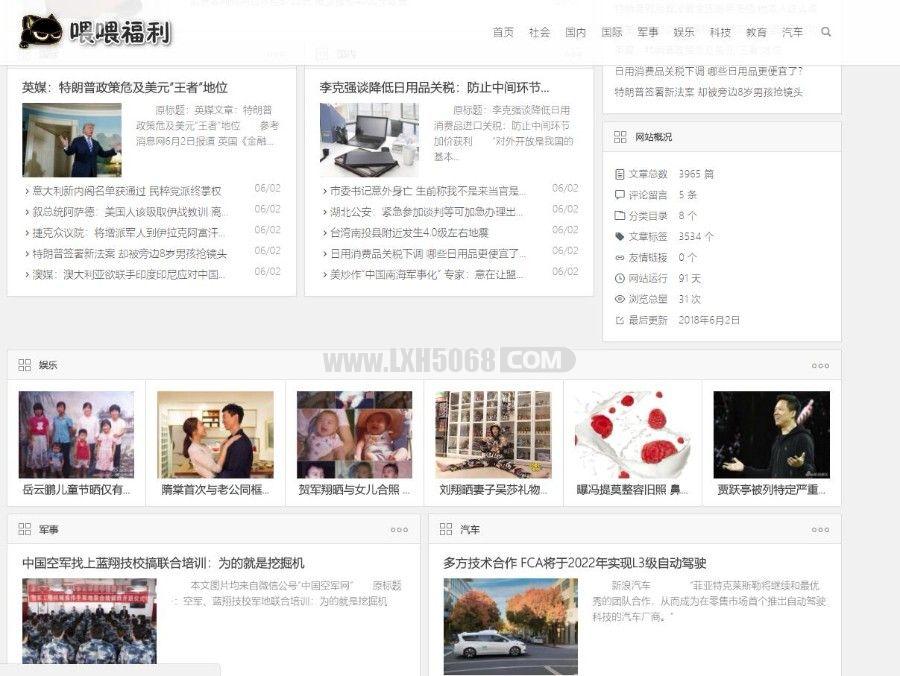
WordPress插件自动采集插件wp-autopost-pro 3.7.8最新版 免授权学习版目前完美运行于的 WordPress 各个版本,请放心使用。WP-AutoPost-Pro 是一款优秀的 WordPress 文章采集器,是您操作站群,让网站自动更新内容的利器!
1、刚建的wordpress站点内容比较少,希望尽快有比较丰富的内容;
2、热点内容自动采集并自动发布;
3、定时采集,手动采集发布或保存到草稿;
4、css样式规则,能更精确的采集需要的内容。
5、伪原创与翻译、代理IP进行采集、保存Cookie记录;
6、可采集内容到自定义栏目

TT Guest Post Submit 是一个匿名投稿插件,不需要用户登录即可进行投稿(当然,已登录的用户也一样可以投稿),非常适合用于实现网站投稿功能。
功能如下:
插件选项页面 – 用户可以自定义设置
电子邮件通知 – 管理员可以收到投稿提醒邮件
定制稿件提交后的确认消息
支持选择投稿表单字段,包括标题,标签,类别,作者,URL,职位和图像等
自带验证码功能,有效防止垃圾
添加简码到任何页面即可显示投稿表单
投稿成功后重定向用户到当前页面或任何其他页面(这可以从选项页中设置)
HTML5提交表单采用流线型CSS样式
可选择文章内容使用纯文本编辑器还是可视化编辑器
可过滤标题和文章的某些词组
支持限制文章最小字数(收费版)
可设置附件类型和大小(收费版)
可限制上传的图片数量和图片像素(收费版)
支持选择一个或多个分类,也可添加一个默认分类(收费版)
可设置文章是否允许评论(收费版)
允许自定义每个字段的名称(收费版)
支持重新排列字段的顺序(收费版)
允许投稿后重定向到已发布的文章(收费版)