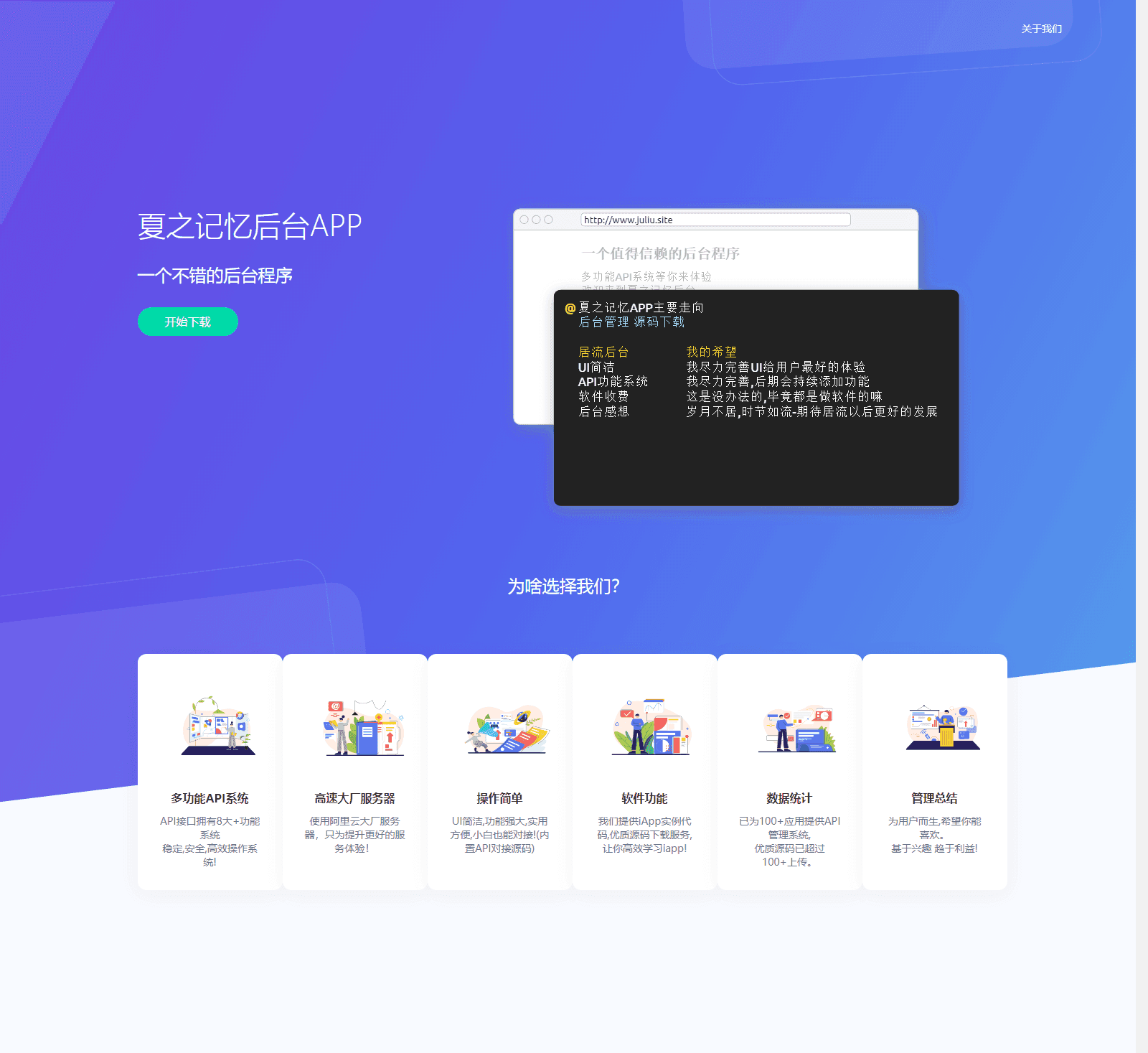
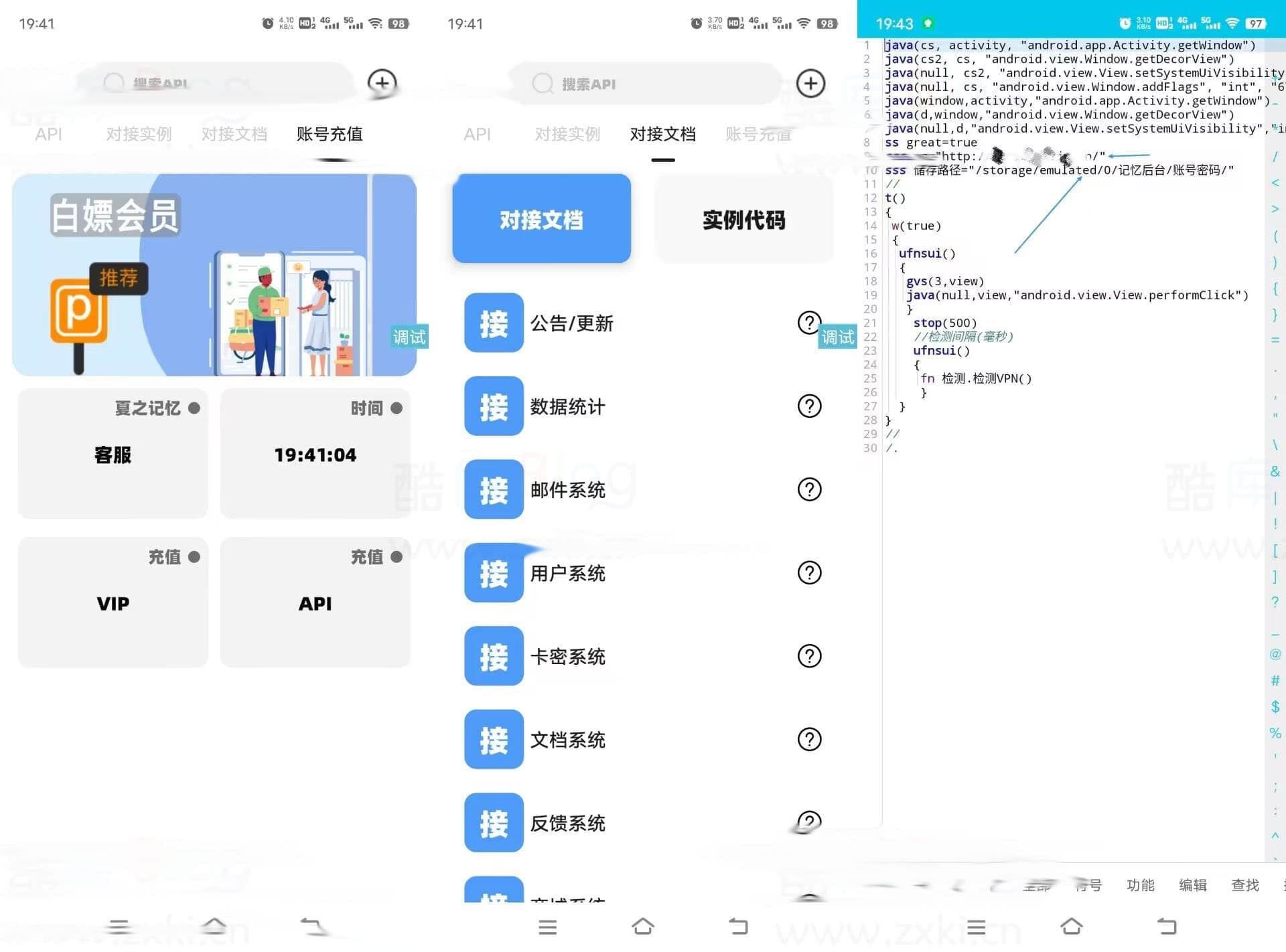
夏之记忆后台APP源码,iapp后台管理系统源码
功能:
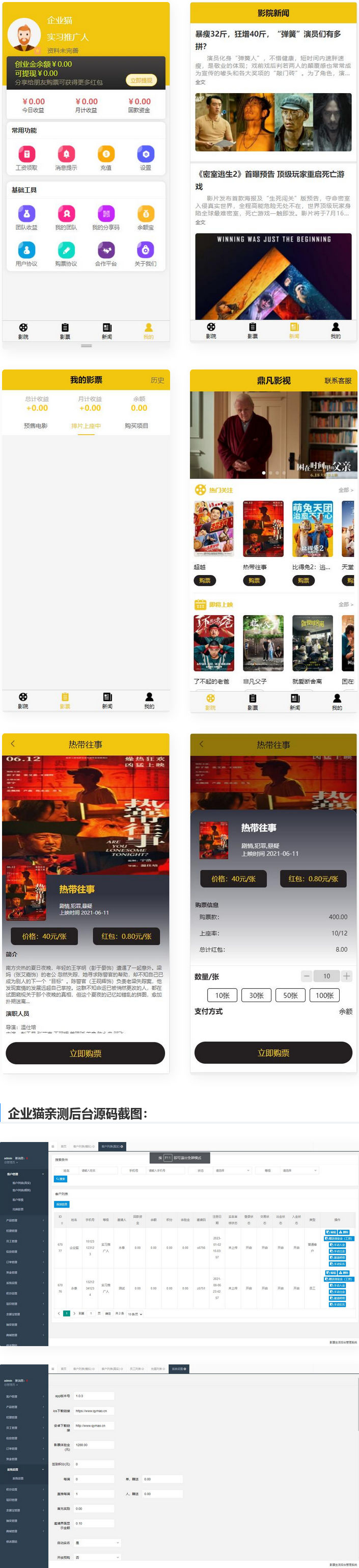
1、登录注册,充值提现,邀请好友,查看团队以及收益
2、购票,排座,返利
3、新闻资讯
4、余额宝购买返利
开发框架:
前端uni+后端php开发
之前看见有人发指纹解锁软件有问题,链接也挂了,所以我今天发个新版软件。远程指纹解锁app是一款可以用你通过Android上的指纹,解锁Windows系统的应用。远程指纹解锁app能够让大家使用手机远程控制你的电脑。
注意是项:电脑的账户必须是本地账户,而且名字必须是英文或者数字注意一定不要有中文。因为我的版本是英文,所以就做了一期视频到时候大家看视频跟着操作。 由于我的电脑软件版本较旧所以只能用wifi了,当然可以使用局域网。


教程视频地址:【手机解锁电脑教程-哔哩哔哩】 https://b23.tv/zkIaDos
软件下载地址:
链接:https://pan.baidu.com/s/120ifnUo01s97PFqAVEUIiQ?pwd=1234 提取码:1234
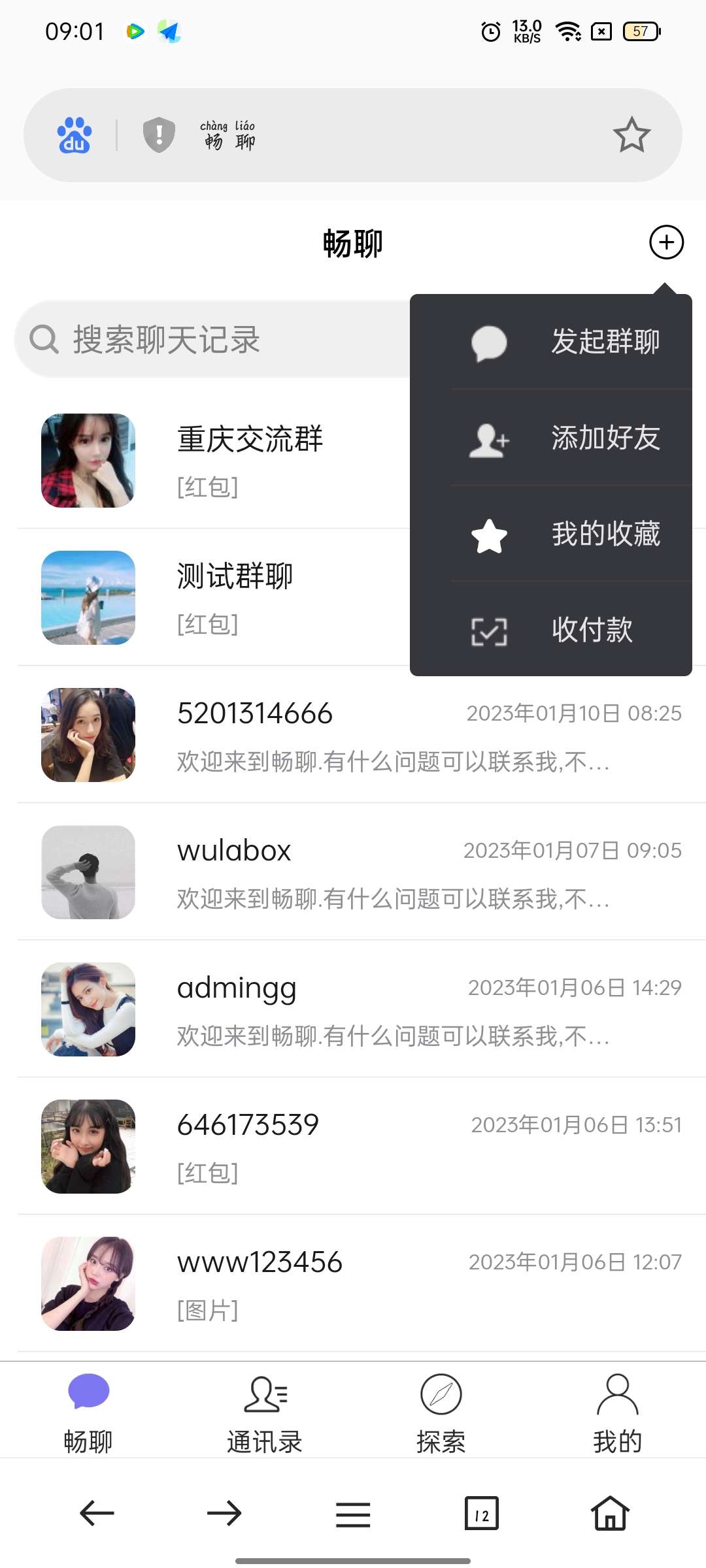
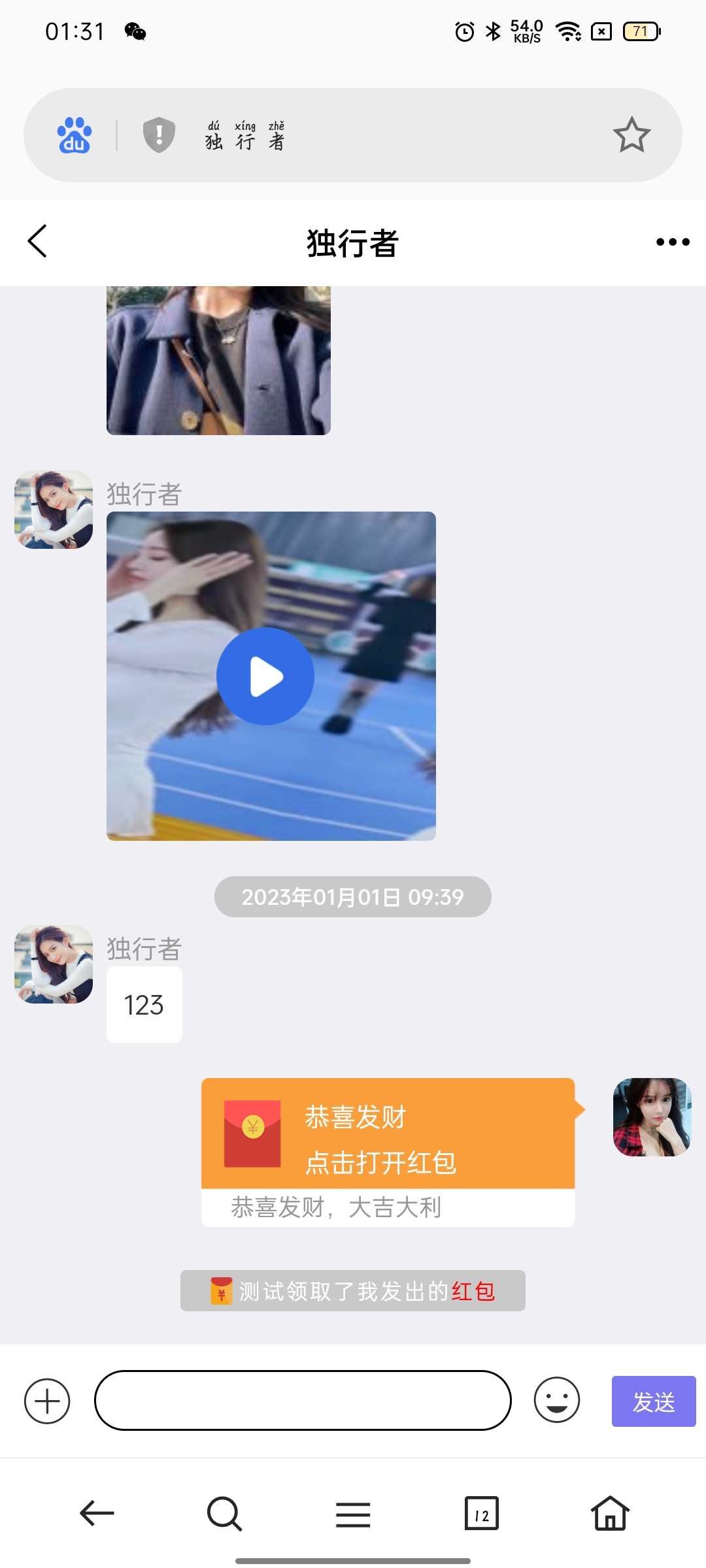
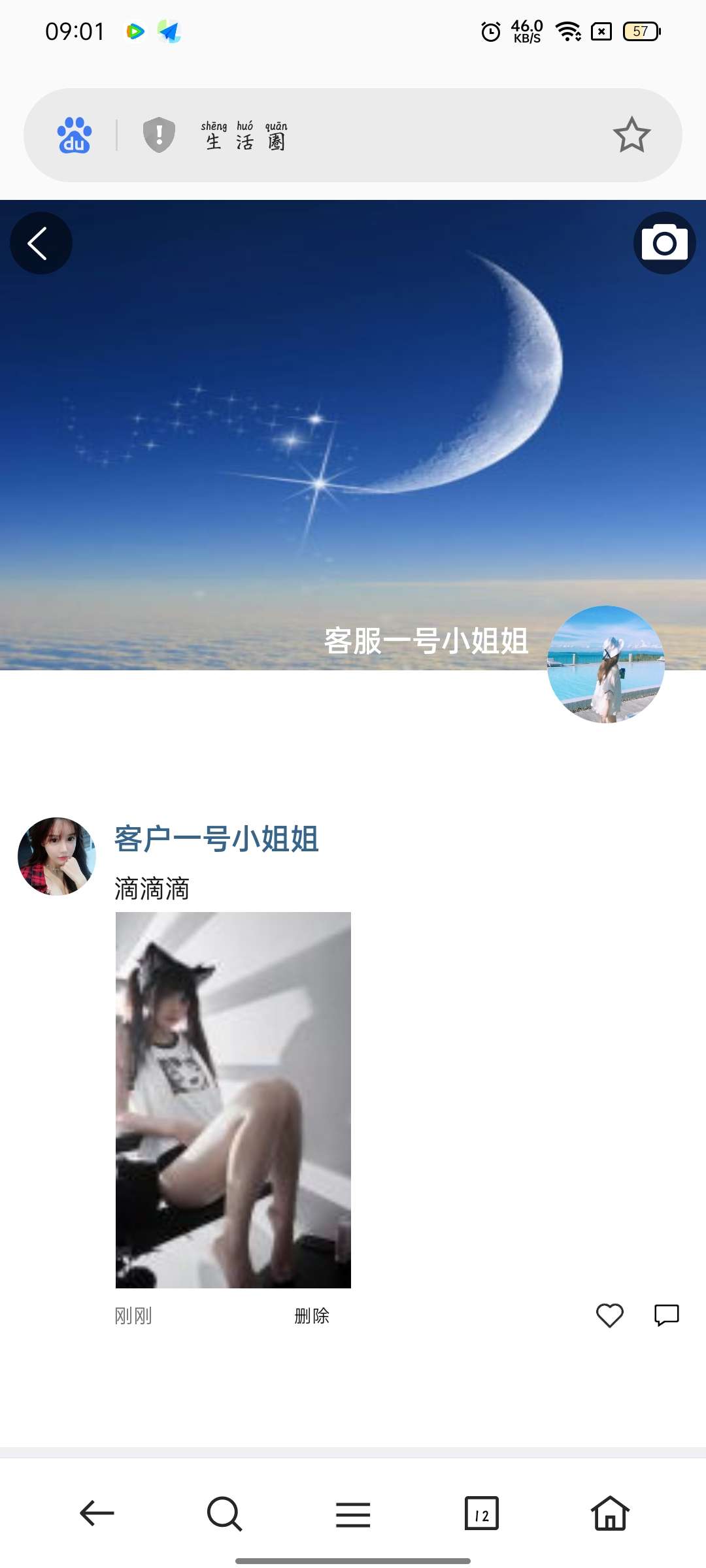
群聊+红包转账+朋友圈,安卓苹果双端APP,且支持H5网页端,亲测可用!
可放心购买,带安装部署教程,小白也能搭建!
源代码仅提供学习参考,请勿违法犯罪!
1,IM聊天uniapp版本红包等功能,
源代码仅提供学习参考,请勿违法犯罪!
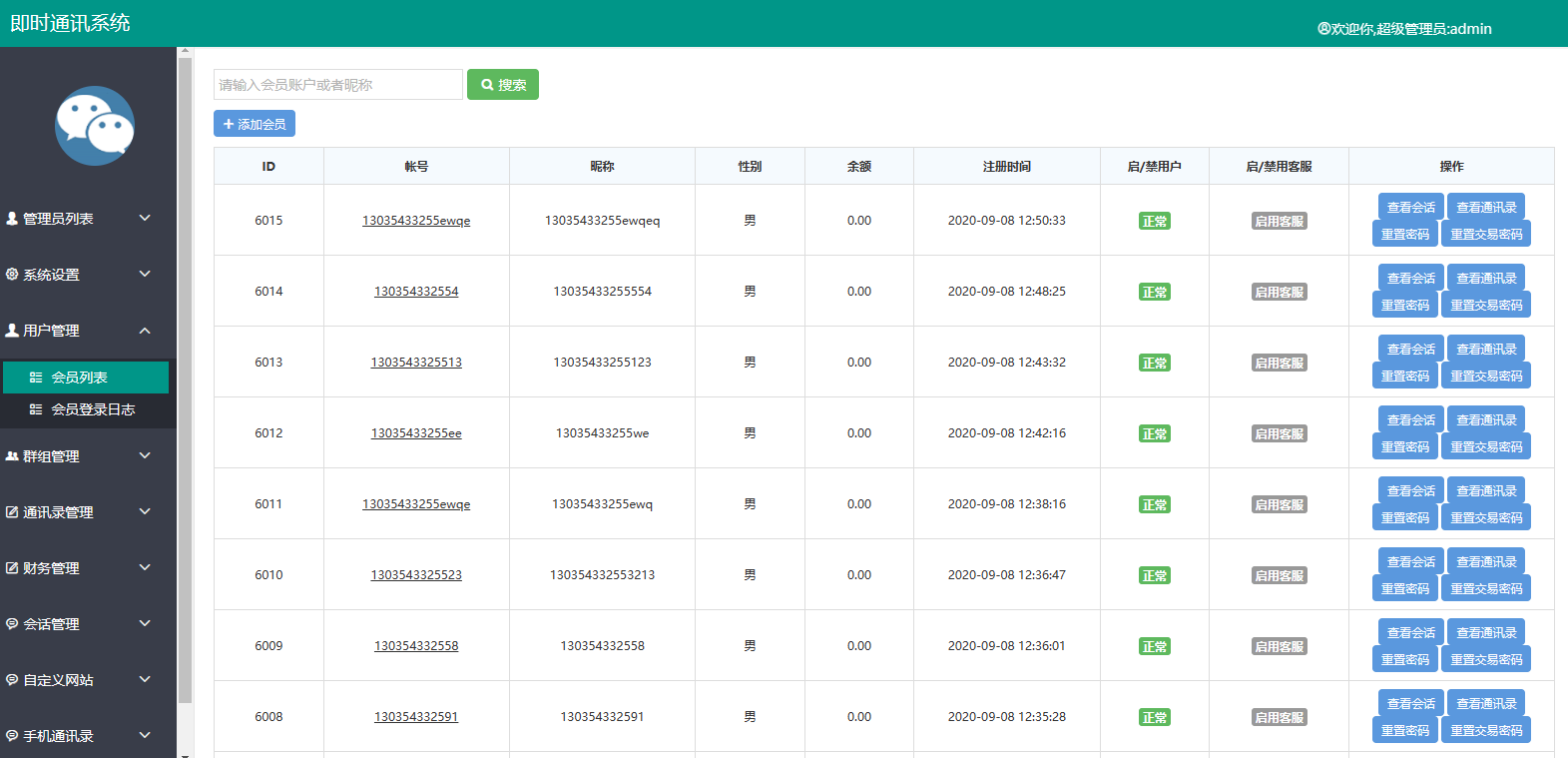
2,后台自定义网址
源代码仅提供学习参考,请勿违法犯罪!
3,集成uniPush推送
源代码仅提供学习参考,请勿违法犯罪!
4,APP后台保活,本地推送+离线推送
源代码仅提供学习参考,请勿违法犯罪!
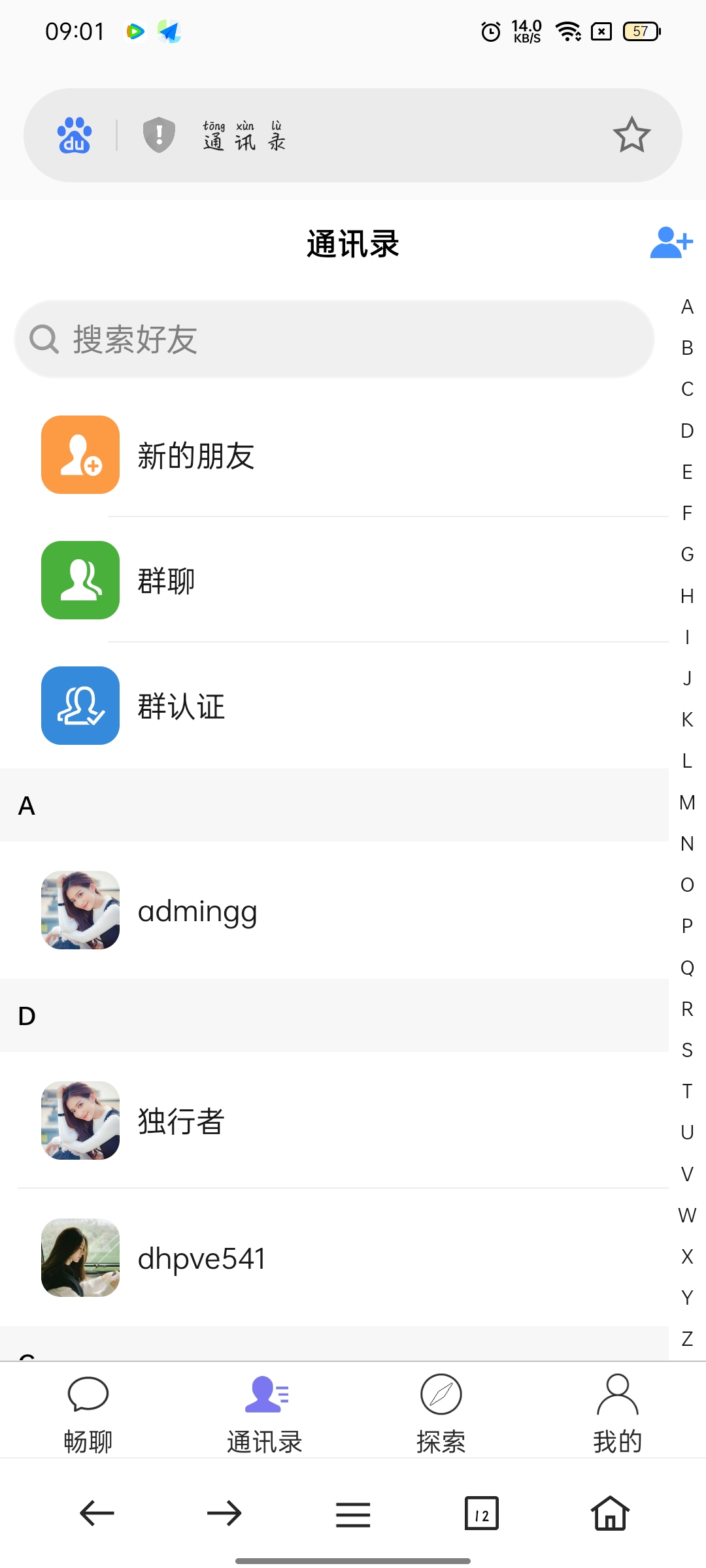
6,注册自动加客服好友,后台可以设置
源代码仅提供学习参考,请勿违法犯罪!
前端开发语言:VUE( 安卓,IOS,WEB为一套前端代码)
服务器端开发语言: PHP+WebSocket
数据库:MySql + mongodb
前端打包工具:Hbuilder
服务器搭建工具:宝塔 + SSH
短信接口: 支持阿里云
支付接口:支持支付宝
服务器配置: 2核2G宽带5兆以上(根据业务来定)
服务器系统:Linux Centos 7
以上功能:
用户之间可以相互加好友 用户可以创建自己的群组支持发送 图片 视频 表情包 发红包 可以创建朋友圈 发表动态和视频。收付款,我的收藏,设置备注和标签,置顶聊天,消息免打扰,名片分享,转账记录,自定义链接。禁言,全员禁言,发语音,发视频,群主可一键复制所有成员到新群.可匿名聊天
此源码是根据之前三楼发过的一个帖子二开了一下
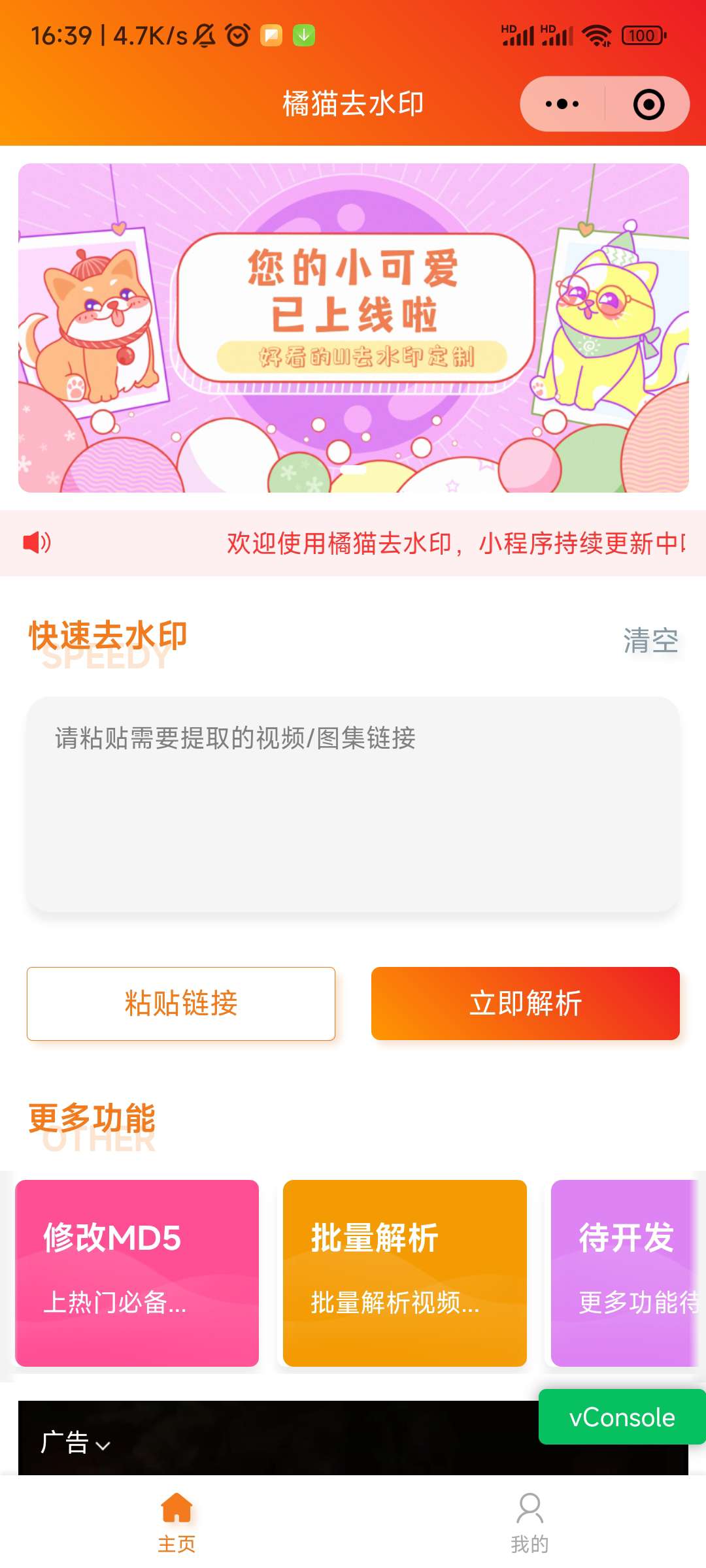
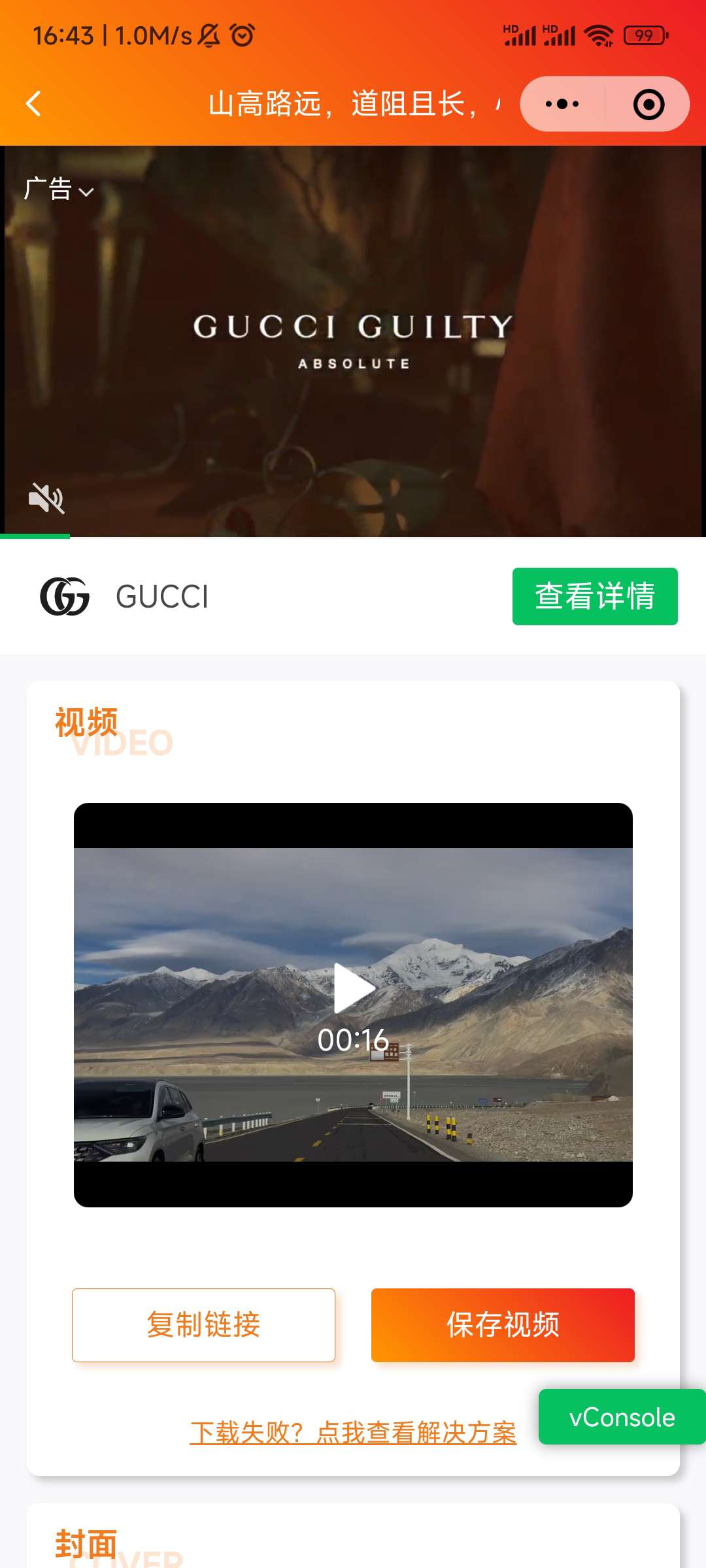
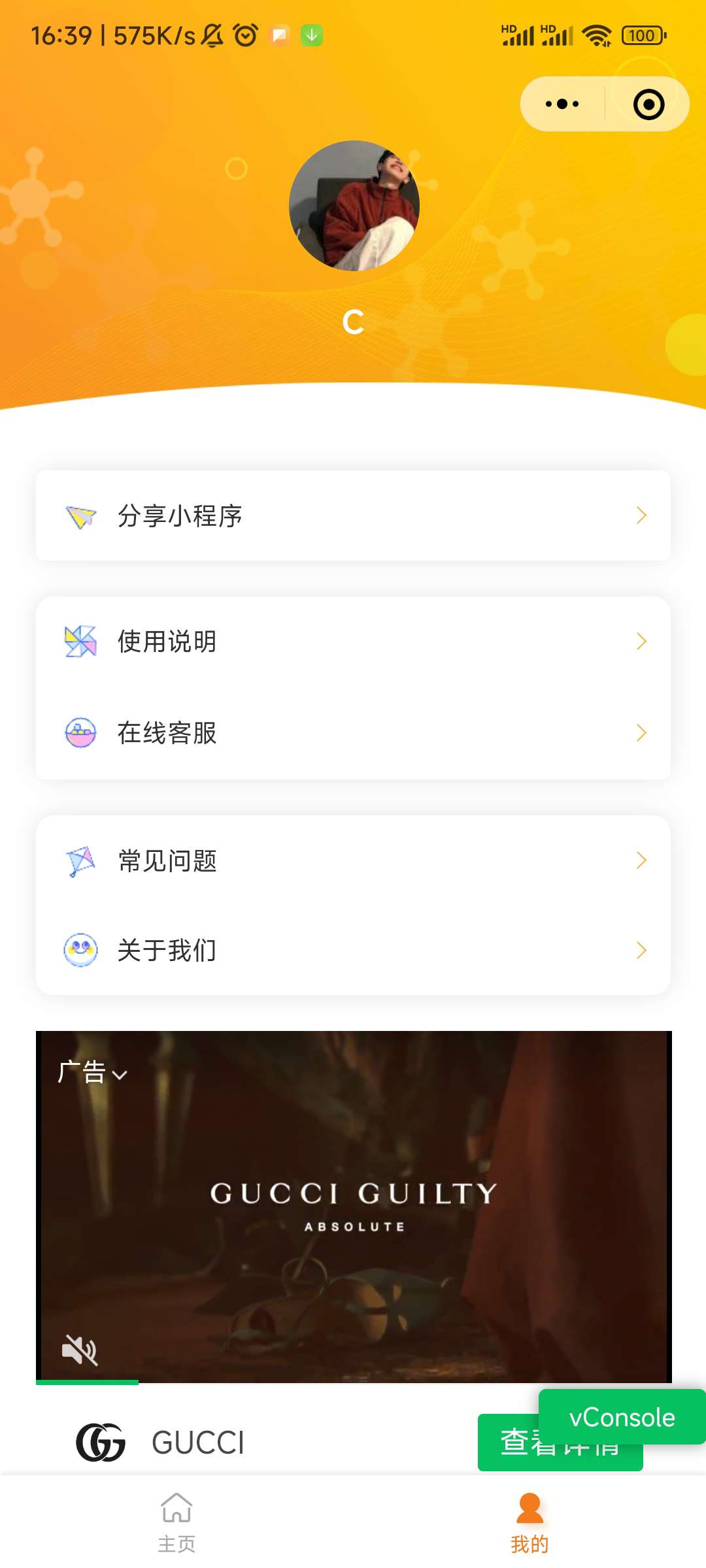
一个基于uniapp写的小程序,后端使用的是php
uniapp可以编译成微信小程序、QQ小程序等等
功能如下:
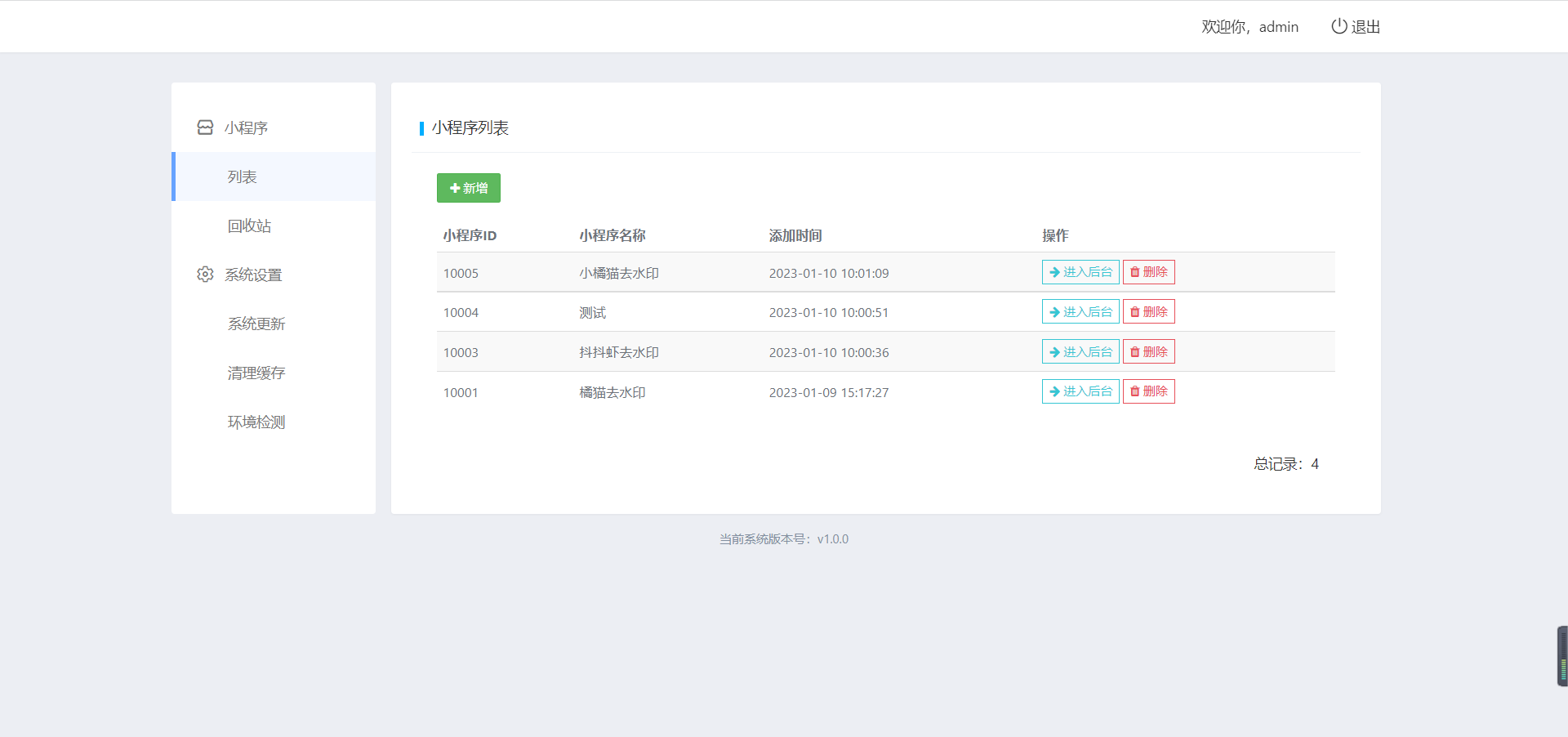
1、可以创建多个小程序对接同一个后台(多开)
2、每个小程序可单独配置轮播图、流量主等
3、可以自定义解析接口(里面自带抖音视频解析)
后续多人使用的话可催一下我更新
部署教程在下载的文件里面带有哦
分享一个UI界面很简洁的方盒子iapp源码,非常适合拿来做工具箱的,
这个UI源码已经很久的了,在网上看到的,就拿出来再分享一下吧!


最新二开微交易系统股票配资理财程序源码附教程
测试环境:Nginx + PHP7.0 + MySQL5.6 + thinkphp伪静态
访问order.html 挂着html 会自动更新采集行情 修复几处漏洞
设置 Nginx 为:
location ~* (runtime|application)/{

return 403;

}

location / {

if (!-e $request_filename){

 rewrite ^(.*)$ /index.php?s=$1 last; break;

}

}
系统设计理念说明
详细安装、配置教程
https://www.bilibili.com/video/BV1TD4y1Y7CV?share_source=copy_web
二、核心功能说明
系统一共有三个使用角色,相当于有三套系统,在这里只介绍核心的一些功能及实现。
导入学生名单或者成绩名单
 复制代码 隐藏代码
public class ReadStudentXlsFiles {
    private static String basePath = "G:\\Projects\\Materials\\cqes4cs\\files\\students\\";
    public static List<HashMap<String, Object>> readStudentXlsx(String fileFinalName) throws FileNotFoundException {
        // 将文件存入本地,便于读取
        String filePath = basePath + fileFinalName;
        File file = new File(filePath);
        FileInputStream fs = new FileInputStream(file);
        List<HashMap<String, Object>> lst = new ArrayList<>();
        try {
            String fileName = file.getName();
            String[] fileParts = fileName.split("\\.");
            Workbook sheets;
            if (fileParts[fileParts.length - 1].equals("xls")) {
                sheets = new HSSFWorkbook(fs);
            } else {
                sheets = new XSSFWorkbook(fs);
            }
            Sheet sheet = sheets.getSheetAt(0);
            int rowCount = sheet.getLastRowNum();
            int colNum = sheet.getRow(0).getPhysicalNumberOfCells();
            // 遍历行
            for (int i=1; i<=rowCount; i++) {
                HashMap<String, Object> map = new HashMap<>();
                Row row = sheet.getRow(i);
                // 遍历列
                for(int j = 0; j < colNum; j++){
                    if(row.getCell(j) != null){
                        row.getCell(j).setCellType(CellType.STRING);
                        String cellValue = row.getCell(j).getStringCellValue();
                        switch (j) {
                            case 0:
                                map.put("userid", cellValue);
                                break;
                            case 1:
                                map.put("name", cellValue);
                                break;
                            case 2:
                                map.put("major_code", cellValue);
                                break;
                            case 3:
                                map.put("class", cellValue);
                                break;
                            case 4:
                                map.put("year", cellValue);
                                break;
                            default: break;
                        }
                    }
                }
                lst.add(map);
            }
            fs.close();
            return lst;
        } catch (Exception e) {
            e.printStackTrace();
        }
        return null;
    }
}
处理加分规则配置
// notation

@RequestMapping("/modifyContestConfig")

@Transactional

@RequiresRoles("manager")

public ResponseEntity modifyContestConfig(@RequestParam Map<String, String> map) {

                List<HashMap<String, Object>> list = new ArrayList<>();

                Map<String, String> nameMap = new HashMap<>();

                Map<String, String> indexMap = new HashMap<>();

                for (Map.Entry<String, String> entry : map.entrySet()) {

                                if (entry.getKey().equals("name")) {

                                                nameMap = JSON.parseObject(entry.getValue(), HashMap.class);

                                }

                                if (entry.getKey().equals("index")) {

                                                indexMap = JSON.parseObject(entry.getValue(), HashMap.class);

                                }

                }


                // 清空配置表

                if (nameMap.size() == 0 || indexMap.size() == 0) {

                                basicInfoMapper.deleteContestConfig();

                                return ResponseEntity.ok().body(ResultVOUtil.successSimple());

                }

                // 组装list

                for (Map.Entry<String, String> entry : map.entrySet()) {

                                if (entry.getKey().equals("name")) break;

                                if (entry.getKey().equals("index")) break;

                                HashMap<String, Object> mapp = new HashMap<>();

                                mapp.put("uuid", entry.getKey());

                                mapp.put("config", entry.getValue());

                                mapp.put("name", nameMap.get(entry.getKey()));

                                mapp.put("indexid", indexMap.get(entry.getKey()));

                                list.add(mapp);

                }

                Boolean flag = false;

                try {

                                // 先存入临时表

                                basicInfoMapper.updateContestConfigTemp(list);

                                // 再删除原始表里面的所有数据

                                basicInfoMapper.deleteAllContestConfig();

                                // 最后将临时表的数据复制到原始表中

                                basicInfoMapper.updateContestConfig();

                                // 最后删除临时的规则表,方便下一次的数据存储

                                basicInfoMapper.deleteContestsConfigTemp();

                } catch (Exception e) {

                                flag = true;

                                throw new RuntimeException("New Error");

                }

                if (flag) return ResponseEntity.ok().body(ResultVOUtil.error(1, "操作失败,请联系管理员"));

                return ResponseEntity.ok().body(ResultVOUtil.successSimple());

}
|
编辑加分规则:
setroot(node, data) {

        // 取消设置为叶子节点

        if (data.tag == 'root') {

                let parent = node.parent

                let newChild = { uuid: data.uuid, name: data.name, children: [] }

                let children = parent.data.children || parent.data

                let index = children.findIndex(d => d.uuid === data.uuid)

                children.splice(index, 1)

                if (!parent.data.children) {

                        this.$set(parent.data, 'children', [])

                }

                parent.data.children.push(newChild)

                return

        }

        // 设置叶子节点

        if (data.children.length > 0) return this.$msg.error("存在下一级的时候不能设置为叶子节点")

        let temp = {

                uuid: data.uuid,

                name: data.name,

                tag: 'root',

                score: 0

        }

        this.$prompt('请为叶子节点设置分值,最多保留两位小数', '提示', {

                confirmButtonText: '确定',

                cancelButtonText: '取消'

        }).then(({ value }) => {

                if (isNaN(value) || value.trim().length == 0) return this.$msg.error("请输入正确的数值")

                temp.score = value

                let parent = node.parent

                let children = parent.data.children || parent.data

                let index = children.findIndex(d => d.uuid === data.uuid)

                children.splice(index, 1)

                parent.data.children.push(temp)

        }).catch(()=>{return this.$msg.error("输入加分分值才能设置为叶子节点")})

}
|
// 选择某个比赛后搜索比赛的相关配置

async handleSelect(item) {

        let {data: res} = await this.$http.post('/getContestConfigById', this.$qs.stringify({id: item.id}))

        if (!res) return

        if (res.code != 0) return this.$msg.error(res.message)

        this.curLevelConfig = JSON.parse('[' + res.data.classconfig + ']')

        this.stepForm.ruleid = res.data.uuid

        this.stepForm.name = res.data.name

        this.toNext()

},
|
三、系统界面一览


学分评价结果总览:

学分评价整体结果:

处理学分申请异议:

管理常见专业赛事配置:

学生信息&学分管理:

加分规则配置:

学生综合素质可视化分析:

项目下载
后端搭建
数据导入

Redis和数据库
静态资源映射

系统使用入门
【重要说明】
小龟视频是一款基于苹果CMS系统的移动端在线视频播放软件,支持mp4、flv、m3u8、rmvb、mkv等主流视频格式的播放,现有安卓+ios版本。
小龟视频反编译文本教程:
1.先爆破安卓签名,需要用到MT管理器,百度自行下载
2.搜索:getcertsign
3.添加return-void然后保存返回,回到首页进行APK签名,就OK了
注意:以上步骤小编已经修改好,无需修改,这里只是告诉你们步骤。
爆破好之后就是修改自己的域名:APK进行解压缩
1.接下来就是利用010Editor工具修改域名(温馨提示:域名一定要与原来APP的域名畅读一致不然闪退)
2.安卓端修改/lib/arm64-v8a/linapp.so和/lib/armeabi-v7a/linapp.so这两个文件里面的域名
域名修改好后,压缩,记得把ZIP后缀改成APK。(苹果同理只是后缀改成IPA)
苹果修改域名路劲/Runner.app/Frameworks/App.framework/app里面两个域名修改成自己的即可
关于苹果IPA怎么签名,可以使用爱思助手进行签名,不过有个短板,只能使用7天,过后得重新签名才能使用。(爱思助手不会签名的自行百度)

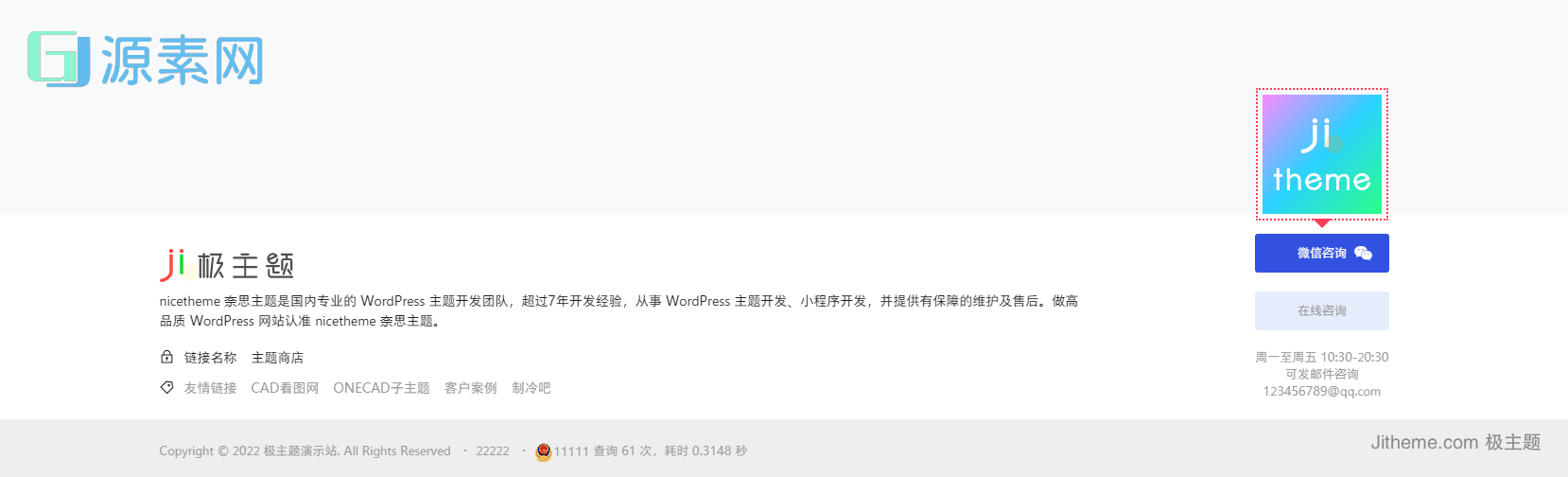
<?php
//样式1
$text_footer_title_ysa=b2_get_option('Jitheme_footer_tab2','text_footer_title_ysa');
$text_footer_desc_ysa=b2_get_option('Jitheme_footer_tab2','text_footer_desc_ysa');
//样式2
$link_cats = b2_get_option('template_footer','link_cat');
$beian = b2_get_option('template_footer','footer_beian');
$gongan = b2_get_option('template_footer','footer_gongan');
$gongan_code = (int) filter_var($gongan, FILTER_SANITIZE_NUMBER_INT);
$mobile_show_link = b2_get_option('template_footer','footer_mobile_show_links');
$footer_img = b2_get_option('template_footer','footer_img');
$onecad_footer_ysb_jj=b2_get_option('Jitheme_footer_tab3','onecad_footer_ysb_jj');
//获取代码
if($onecad_footer_ysb_jj){
$none='style="display: none;"';
}else{
$none="";
}
?>
</div>
<style>
.public-foot{
background-image: url(<?php echo $footer_img ?>)
}
.footer-links ul li a {color:<?php echo b2_get_option('template_footer','footer_nav_text_color'); ?>}
.site-footer{
background-color:<?php echo b2_get_option('template_footer','footer_color'); ?>
}
.site-footer-nav{
background-color:<?php echo b2_get_option('template_footer','footer_nav_color'); ?>
}
#bigTriangleColor{
background-color:<?php echo b2_get_option('template_footer','footer_color'); ?>
}
</style>
<footer id="onecad_new_footer" class="onecad_new_footer ">
<div id="onecad_footer_ysc">
<div class="wrapper footer-inner md-1">
<div class="footer-body">
<div class="footer-content mb-3">
<?php dynamic_sidebar( 'sidebar-2' ); ?>
</div>
<div class="footer-menu text-sm">
<i class="b2font b2-lock-2-line"></i>
<?php
$links_html='';
$links_ysa_a1 =b2_get_option('Jitheme_footer_tab3','onecad_footer_ysb_links');
if(is_array($links_ysa_a1)){
foreach ($links_ysa_a1 as $k => $v) {
if(!empty($v['onecad_footer_ysb_links_desc'])){
$links_html.= $v['onecad_footer_ysb_links_desc'];
}
}
echo $links_html;
}
?>
</div>
<?php
$ids = array();
$bookmarks = array();
if($link_cats){
foreach($link_cats as $v){
$links = get_term_by('slug', $v, 'link_category');
if($links){
$ids[] = $links->term_id;
}
}
}
$ids = implode(",", $ids);
if($ids){
$bookmarks = get_bookmarks(array(
'category'=>$ids,
'orderby'=>'link_rating',
'order'=>'DESC'
));
}
?>
<?php if((is_home() || is_front_page()) && !empty($link_cats) && !empty($bookmarks)){ ?>
<div class="jitheme-footer-links text-sm <?php echo (int)$mobile_show_link === 0 ? 'mobile-hidden' : ''; ?>">
<i class="b2font b2-price-tag-3-line"></i>
<span class="links-item">友情链接</span>
<?php
foreach ($bookmarks as $bookmark) {
echo '<a target="_blank" class="links-item" href="' . $bookmark->link_url . '">' . $bookmark->link_name . '</a>';
}
?>
</div>
<?php } ?>
</div>
<div class="footer-contact">
<div class="ji-mb weixin">
<?php
$links_ysa_a1 =b2_get_option('Jitheme_footer_tab3','onecad_footer_ysb_ewm');
if(is_array($links_ysa_a1)){
foreach ($links_ysa_a1 as $k => $v) {
$ewm_html='<img border="0" src="'.$v['onecad_footer_ysb_ewm_img'].'">';
break;
}
}
?>
<a href="javascript:" class="btn btn-arrow btn-primary text-xs">
<span>微信咨询
<span class="qrcode"><?php echo $ewm_html ?></span>
<i class="b2font b2-weixin"></i>
</span>
</a>
</div>
<div class="ji-mb">
<a href="//wpa.qq.com/msgrd?v=3&uin=<?php echo b2_get_option('Jitheme_footer_main','onecad_footer_qq') ?>&site=qq&menu=yes" rel="external nofollow" class="btn btn-arrow btn-outline-primary text-xs" target="_blank">
<span>在线咨询<i class="b2font b2-qq"></i>
</span>
</a>
</div>
<div class="text-muted text-xs">周一至周五 10:30-20:30</div>
<div class="text-muted text-xs">可发邮件咨询</div>
<div class="text-muted text-xs"><?php echo b2_get_option('Jitheme_footer_main','onecad_footer_jiandu_yx') ?></div>
</div>
</div>
<div class="footer-copyright font-number text-xs">
<div class="wrapper"><?php echo 'Copyright © '.wp_date('Y').'<a href="'.B2_HOME_URI.'" rel="home"> '.B2_BLOG_NAME.'</a>'; ?>. All Rights Reserved
<?php if($beian){
echo '<span class="b2-dot">・</span><a rel="nofollow" target="__blank" href="https://beian.miit.gov.cn">'.$beian.'</a>';
} ?>
<?php if($gongan){
echo '<span class="b2-dot">・</span><a rel="nofollow" target="__blank" href="http://www.beian.gov.cn/portal/registerSystemInfo?recordcode='.$gongan_code.'"><img src="'.B2_THEME_URI.'/Assets/fontend/images/beian-ico.png">'.b2_get_option('template_footer','footer_gongan').'</a>';
}?>
<?php
echo sprintf(__('查询 %s 次,','b2'),get_num_queries());
echo sprintf(__('耗时 %s 秒','b2'),timer_stop(0,4));
?>
</div>
</div>
</div>
<?php
$celan=b2_get_option('Jitheme_footer_tab4','onecad_footer_celan_off');
$wrapper_width = b2_get_option('template_main','wrapper_width');
if($celan){ ?>
<div id="jitheme_celan">
<div class="fixed-right" style="right:16px;">
<div class="drop">
<a href="/vips" class="go_top item">
<i class="b2font b2-vip-crown-2-line ">
</i>
</a>
</div>
<div class="menus">
<span class="item ewm hide_sm">
<i class="b2font b2-qr-code-fill ">
</i>
<div class="code-div">
<div class="ewmDiv">
<?php
$kf_html='';
$kf_html_img =b2_get_option('Jitheme_footer_tab4','Jitheme_footer_celan');
if(is_array($kf_html_img)){
foreach ($kf_html_img as $k => $v) {
$kf_html .='<div class="ewm-item">
<a href="'.$v['celan_kf_link'].'" target="_blank">
<div class="code-wrap">
<div class="code" style="background-image:url('.$v['celan_kf_img'].');"></div>
</div>
<div class="ewm-main">
<p>'.$v['celan_kf_desc'].'</p>
<div class="wz">'.$v['celan_kf_title'].'</div>
</div>
</a>
</div>';
}
}
echo $kf_html;
?>
</div>
</div>
</span>
</div>
<div class="drop">
<a href="http://wpa.qq.com/msgrd?v=3&uin=<?php echo b2_get_option('Jitheme_footer_main','onecad_footer_qq') ?>&site=qq&menu=yes"
class="go_top item">
<i class="b2font b2-customer-service-2-line1 ">
</i>
</a>
</div>
<div class="gotop">
<a href="#" class="go_top item">
<i class="b2font b2-rocket-2-line ">
</i>
</a>
</div>
</div>
</div>
<?php } ?>
</footer>
<?php if(!is_audit_mode()) { ?>
<div id="mobile-footer-menu" class="mobile-footer-menu mobile-show footer-fixed" ref="footerMenu" v-show="show">
<div class="mobile-footer-left">
<?php echo B2\Modules\Templates\Footer::footer_menu_left(); ?>
</div>
<div class="mobile-footer-center">
<button @click="postPoBox.show = true"><span><?php echo b2_get_icon('b2-add-line b2-radius'); ?></span></button>
</div>
<div class="mobile-footer-right">
<?php echo B2\Modules\Templates\Footer::footer_menu_right(); ?>
</div>
</div>
<?php } ?>
<?php
$allow_newsflashes = b2_get_option('newsflashes_main','newsflashes_open');
$allow_document = b2_get_option('document_main','document_open');
$allow_circle = b2_get_option('circle_main','circle_open');
$circle_sulg = b2_get_option('normal_custom','custom_circle_link');
$circle_name = b2_get_option('normal_custom','custom_circle_name');
$newsflashes_name = b2_get_option('normal_custom','custom_newsflashes_name');
?>
<div id="post-po-box" class="post-po-box">
<div :class="['post-box-content',{'show':show}]" @click="show = false">
<div class="po-post-in b2-radius" v-cloak>
<div class="po-post-icons">
<div>
<button @click.stop="go('<?php echo b2_get_custom_page_url('write'); ?>','write')">
<span class="po-post-icon"><?php echo b2_get_icon('b2-quill-pen-line'); ?></span>
<span class="po-post-title"><?php echo __('发布文章','b2'); ?></span>
</button>
</div>
<?php if($allow_newsflashes){ ?>
<div>
<button @click.stop="go('<?php echo get_post_type_archive_link('newsflashes'); ?>?action=showbox','newsflashes')">
<span class="po-post-icon"><?php echo b2_get_icon('b2-flashlight-line'); ?></span>
<span class="po-post-title"><?php echo sprintf(__('发布%s','b2'),$newsflashes_name); ?></span>
</button>
</div>
<?php } ?>
<?php if($allow_circle){ ?>
<div>
<button @click.stop="go('<?php echo b2_get_custom_page_url('create-circle'); ?>','create_circle')">
<span class="po-post-icon"><?php echo b2_get_icon('b2-donut-chart-fill'); ?></span>
<span class="po-post-title"><?php echo sprintf(__('创建%s','b2'),$circle_name); ?></span>
</button>
</div>
<div>
<button @click.stop="go('<?php echo home_url('/').$circle_sulg; ?>','create_topic')">
<span class="po-post-icon"><?php echo b2_get_icon('b2-chat-smile-3-line'); ?></span>
<span class="po-post-title"><?php echo __('发表话题','b2'); ?></span>
</button>
</div>
<?php } ?>
<?php if($allow_document){ ?>
<div class="po-verify">
<button @click.stop="go('<?php echo b2_get_custom_page_url('requests'); ?>','request')">
<?php echo b2_get_icon('b2-clipboard-line'); ?><span><?php echo __('提交工单','b2'); ?></span>
</button>
</div>
<?php } ?>
</div>
<div class="po-close-button">
<button @click.stop="show = false"><?php echo b2_get_icon('b2-close-line'); ?></button>
</div>
</div>
</div>
</div>
<form id="wechataction" name="wechataction" action="" method="post">
<input type="submit" value="ok" style="display:none;">
</form>
</div>
<?php wp_footer(); ?>
<!--分类切换-->
<script src="<?php echo B2_CHILD_URI ?>/Render/Js/audio.js"></script>
<script type="text/javascript" src="<?php echo B2_CHILD_URI ?>/Render/Js/web.js"></script>
<!--头部搜索-->
<script type="text/javascript">
var onecad_search = document.getElementById("onecad_search");
var onecad_btna = document.getElementById("onecad_btna");
var btnb = document.getElementById("onecad_btnb");
var mobile_menu = document.getElementById("mobile-menu");
function testDisplay()
{
if(onecad_search.style.top="-70px")
{
onecad_search.style.display = "block";
onecad_search.style.top = "0px";
onecad_search.style.transition = "all 0.3s ease-in-out 0s";
onecad_btnb.style.display = "block";
onecad_btna.style.display = "none";
mobile_menu.style.display = "none";
}
}
function testnone()
{
if(onecad_search.style.display=="block")
{
onecad_btna.style.display = "block";
onecad_search.style.transition = "all 0.3s ease-in-out 0s";
onecad_search.style.top = "-70px";
onecad_btnb.style.display = "none";
mobile_menu.style.display = "block";
}
}
</script>
<?php
$qukuai_day=b2_get_option('Jitheme_index_tab3','qukuai_data');
$text_date_h=b2_get_option('Jitheme_index_tab3','text_date_h');
$qukuai_data=$qukuai_day.' '.$text_date_h
?>
<script type="text/javascript">
//设置定时器容器
var countDownTimer = null ;
//获取元素
var day = document.getElementById("_d");
var hour = document.getElementById("_h");
var minute = document.getElementById("_m");
var second = document.getElementById("_s");
//获取截止时间的时间戳(单位毫秒)
var str = "<?php echo $qukuai_data ?>"
var inputTime = +new Date(str);
//我们先调用countDown函数,可以避免在打开界面后停一秒后才开始倒计时
if(day && hour && minute && second) {
countDown();
}
//定时器 每隔一秒变化一次
countDownTimer = setInterval(countDown, 1000);
function countDown() {
//获取当前时间的时间戳(单位毫秒)
var nowTime = +new Date();
//把剩余时间毫秒数转化为秒
var times = (inputTime - nowTime) / 1000;
if(times > 0){
//计算天数
var d = Math.floor(times/60/60/24)
if(day){
day.innerHTML = d
//如果小时数小于 10,要变成 0 + 数字的形式 赋值给盒子
day.innerHTML = d < 10 ? "0" + d : d;
}
//计算小时数 转化为整数
var h = parseInt(times / 60 / 60 % 24);
//如果小时数小于 10,要变成 0 + 数字的形式 赋值给盒子
if(hour){
hour.innerHTML = h < 10 ? "0" + h : h;
}
//计算分钟数 转化为整数
var m = parseInt(times / 60 % 60);
//如果分钟数小于 10,要变成 0 + 数字的形式 赋值给盒子
if(minute){
minute.innerHTML = m < 10 ? "0" + m : m;
}
//计算描述 转化为整数
var s = parseInt(times % 60);
//如果秒钟数小于 10,要变成 0 + 数字的形式 赋值给盒子
if(second){
second.innerHTML = s < 10 ? "0" + s : s;
}
}else{
// 停止定时器,清空定时器
clearInterval(countDownTimer)
}
}
</script>
<script>
$('.toggle-input').on('change', function() {
$('body').toggleClass('light-version');
});
</script>
</body>
</html>
然后插入CSS
/*自定义CSS*/
/*用户自定义CSS*/
@media screen and (max-width:768px){
.footer-inner {
padding-top: 0px!important;
}.footer-contact,.footer-body{
display: none!important;
}
.font-number{
margin-top: 0px!important;
padding: 15px!important;
line-height: 25px!important;
}
}
.footer-inner {
display: -webkit-box;
display: -ms-flexbox;
display: -webkit-flex;
display: flex;
padding-top: 20px;
-webkit-box-pack: justify;
-ms-flex-pack: justify;
-webkit-justify-content: space-between;
justify-content: space-between;
}
.footer-inner .about-widget .footer-logo {
height: 35px!important;
object-fit: contain;
}
.footer-body{
max-width: 75%;
}
.footer-contact{
padding-left: 30px;
text-align: center!important;
}
.footer-contact .ji-mb{
margin-bottom: 20px!important;
}
.footer-contact .ji-mb .qrcode {
display: none;
border: 2px dotted var(--b2color);
}
.footer-contact .weixin :hover .qrcode:after {
-webkit-transform: translateX(-50%);
transform: translateX(-50%);
position: absolute;
left: 50%;
bottom: -10px;
content: "";
width: 0;
height: 0;
border-color: var(--b2color) transparent transparent;
border-style: solid;
border-width: 10px 10px 0;
}
.weixin :hover .qrcode {
display: block!important;
background-color: var(--main-bg-color);
bottom: 55px;
-webkit-transform: translateX(-50%);
transform: translateX(-50%);
position: absolute;
width: 140px;
height: 140px;
left: 50%;
padding: 5px;
border-radius: 2px;
}
.mb-1{
margin-bottom: 20px!important;
margin-right: 50px!important;
}
.footer-menu {
position: relative;
display: -webkit-box;
display: -ms-flexbox;
display: -webkit-flex;
display: flex;
-ms-flex-wrap: wrap;
-webkit-flex-wrap: wrap;
flex-wrap: wrap;
}
.jitheme-footer-links {
position: relative;
display: -webkit-box;
display: -ms-flexbox;
display: -webkit-flex;
display: flex;
-ms-flex-wrap: wrap;
-webkit-flex-wrap: wrap;
flex-wrap: wrap;
margin-top: 10px;
}
.text-sm {
font-size: 14px !important;
}
.footer-menu a {
position: relative;
display: block;
margin-right: 15px;
margin-top: 3px;
}
.jitheme-footer-links .links-item {
position: relative;
display: block;
color:#999;
margin-right: 15px;
margin-top: 3px;
}
.btn-outline-primary {
color: #2b76ff;
background-color:#e5edfd;
border-color:#e5edfd;
}
.btn-arrow span {
display: inline-block;
position: relative;
-webkit-transition: all .2s ease-out;
transition: all .2s ease-out;
will-change: transform;
padding: 5px 0px;
}
.btn-arrow i {
position: absolute;
top: 50%;
right: 0;
width: 1.25em;
font-size: 1.25rem;
opacity: 0;
-webkit-transform: translateY(-50%);
transform: translateY(-50%);
-webkit-transition: all .2s ease-out;
transition: all .2s ease-out;
will-change: right,opacity;
}
.jitheme-footer-links i,.footer-menu i{
margin-right: 10px;
}
.btn-primary i{
margin-left:10px;
}
.text-xs{
font-size: 13px !important;
color:#999;
}
.font-number {
background-color: #eee;
padding: 25px 0px;
margin-top: 20px;
}

.btn-arrow.active span, .btn-arrow:hover span, .btn-arrow:focus span {
-webkit-transform: translate3d(-0px,0,0);
transform: translate3d(-0px,0,0);
}
.btn-arrow.active i, .btn-arrow:hover i, .btn-arrow:focus i {
opacity: 1;
right: -30px;
}